

Defense projects

Cityshop

More Projects:

The company and the product

CityShob is a system for smart cities. It is intended for various municipal entities as well as for the police and other law enforcement agencies. It increases coordination between the above-mentioned entities, allows for reducing risks, handling incidents and threats, and increasing safety in the city. The system also increases operational efficiency, making life in the city better.

Project goal

The goal was to perform a facelift to the system that would both upgrade the appearance to a more modern one and solve UX issues that users were experiencing. The goal was to shorten the time to identify an incident, optimize real-time monitoring, shorten operation times, and reduce operational errors.


All this while using the existing development infrastructure and minimizing the cost of upgrading .

The challenges

Simplifying complexity

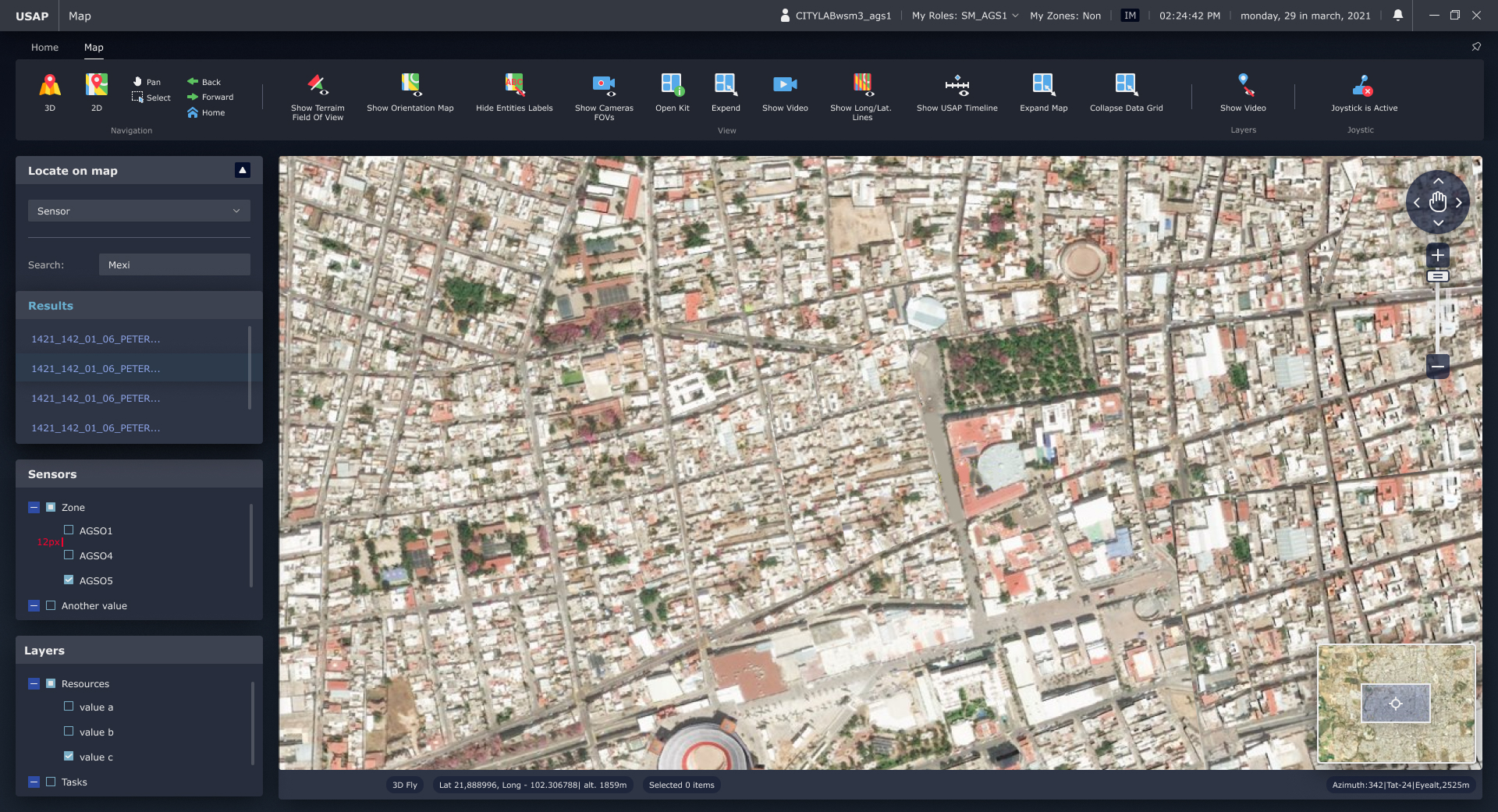
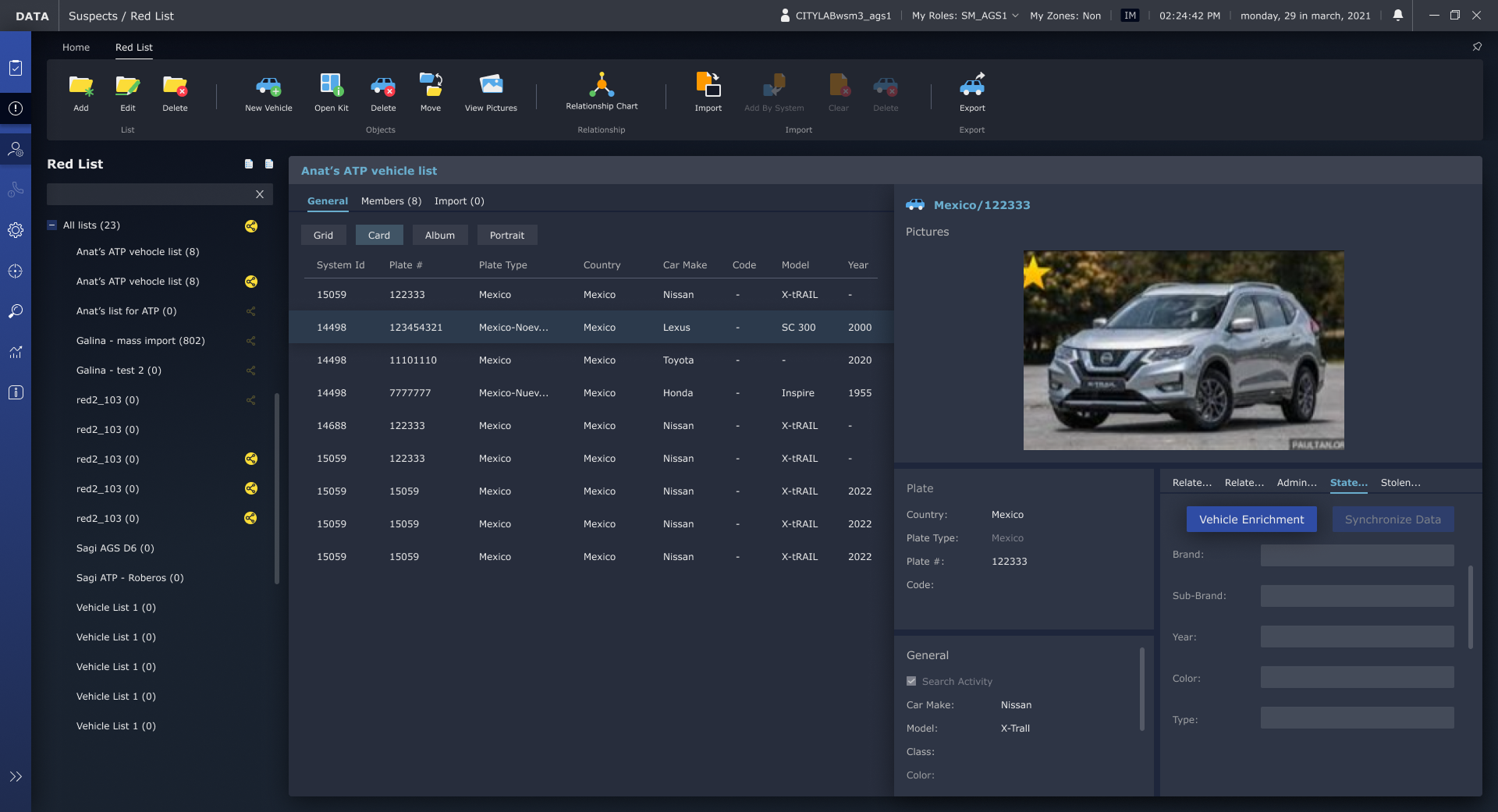
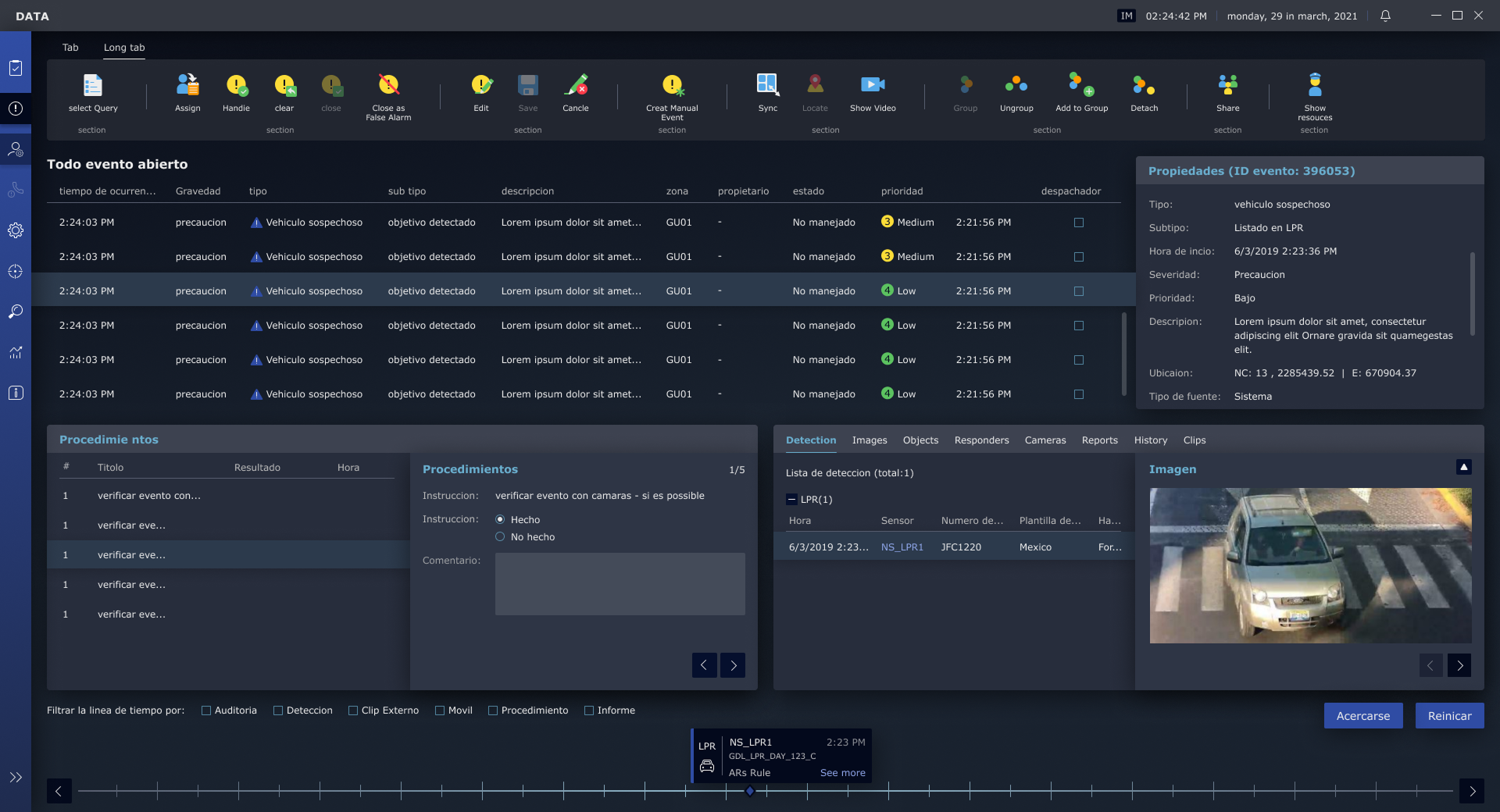
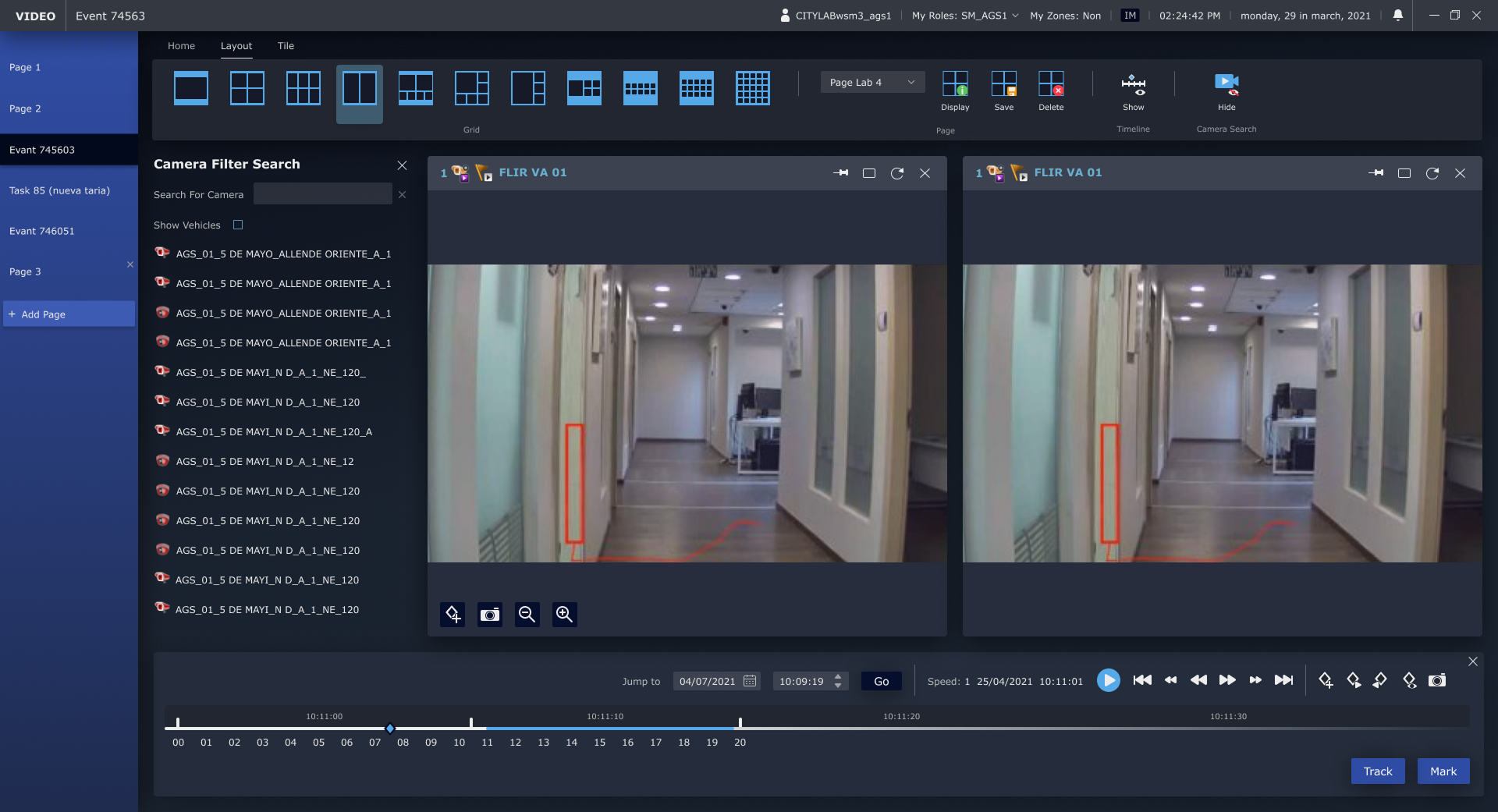
This is a very complex system with three physical screens (data, video, and a city map) that the user must continuously monitor. Users had difficulty dealing with the level of complexity and we were asked to try to simplify it and make the interface more clear and intuitive.

Layout limit

Due to budget and other technical considerations, we were required not to change the overall structure of the system (except for adding a menu), but only to find design solutions.

Mutual influences between screens

Information architecture in a system is very complex. There are many levels of hierarchy and interactions between elements on screens – for example, selecting a row in a table affects information on other screens. We needed design solutions that would help the user understand what affects what, and what to focus on now.

Solution Summary

Solution Summary

Super meticulous design work that mainly included:

  • Clear visualization of multiple hierarchies
  • Replacing all icons with more modern and clearer ones.


The only UX change was adding a navigation menu instead of an additional row of tabs, while maintaining the existing user experience and a clear hierarchical arrangement.

The process we carried out

Group 1707478609
Group 1707478732 (1)
Group 1707478674 (1)

Learning the system and users

We studied the existing system and actually visited the control rooms to understand the needs and behavior of the users – working in a dark room, tracking events in real time, using multiple screens. In addition, we studied the company’s design language so that we could incorporate it into the new design.

01
02

Central screen design and hierarchy rules

We created an initial design for the main screen, where we established all the design rules that would help users understand all the hierarchies and how different actions affect other areas. Each additional screen was designed accordingly, while testing with the PM to ensure that the rules were maintained.

Close support during development

We worked closely with the development team, resolved issues that emerged due to existing limitations, and ensured that the new design could be integrated into the existing infrastructure without causing expensive and complex development.

03

Our solution

Improving the user experience

The system has received a new, modern and clear design, with organized information hierarchies that make it easier to navigate and manage events in real time.

The icons and visual elements have been replaced with intuitive and modern icons that help the user quickly identify possible actions and their effects.

Continue the solution

The design logic was designed so that users can track every change in the screens, understand the impact of their actions on other areas, and operate the system accurately.

All this while fully maintaining the existing system infrastructure, significantly saving development time and resources.


The result: improved user experience, readability, and comprehensive management capabilities even in high load situations.